Training Lab · Simulation
A physics world built for one trick.
The same one in training and in your browser.
Your robot practises in MuJoCo, the physics engine robotics research runs on. kualia keeps the robot’s physics fixed, adds real objects when the trick needs them, records every checkpoint, and runs the whole thing again in your browser so you can watch, push and test the policy yourself.
12
built-in MuJoCo robots
9
world object types
≤ 8
objects per world
4
simulator modes in the browser
1The engine
MuJoCo: fast, stable contact physics
MuJoCo (Multi-Joint dynamics with Contact) simulates articulated bodies, joints, motors and contacts. It is fast enough to run millions of training steps on CPUs and stable enough that a walking robot does not explode when a foot hits the floor.
- Timestep: the size of one physics step, fixed by the robot model (2 ms for Walker2d, 10 ms for Ant).
- Frame skip: physics steps per control step. The policy’s command is held while MuJoCo steps that many times.
- Control rate = 1 / (timestep × frame skip). It is the rate at which the policy acts and the rate your real robot should run the exported policy at.
- On kualia’s own runtime, a task sets
CONTROL_HZ(50 Hz by default) and the frame skip is derived from the model’s timestep:round(1 / (CONTROL_HZ × timestep)).
Contacts
MuJoCo resolves contacts with a soft constraint model: feet push on the floor, a foot pushes a ball, a box slides with friction. The ball in the object library uses rolling friction as well, so it slows down instead of rolling forever. Tasks read contacts directly: robot_touches("ball") and objects_touch("ball", "goal") scan MuJoCo’s contact list. Ant’s built-in observation even includes external contact forces.
Deterministic by seed
Every task must give identical observations and rewards for the same seed; one of the 13 checks runs two 20-step rollouts to prove it. Randomness at reset (small joint noise, object jitter) comes from the task’s seeded generator, never from a global one, so runs and evaluations are reproducible.
2The body
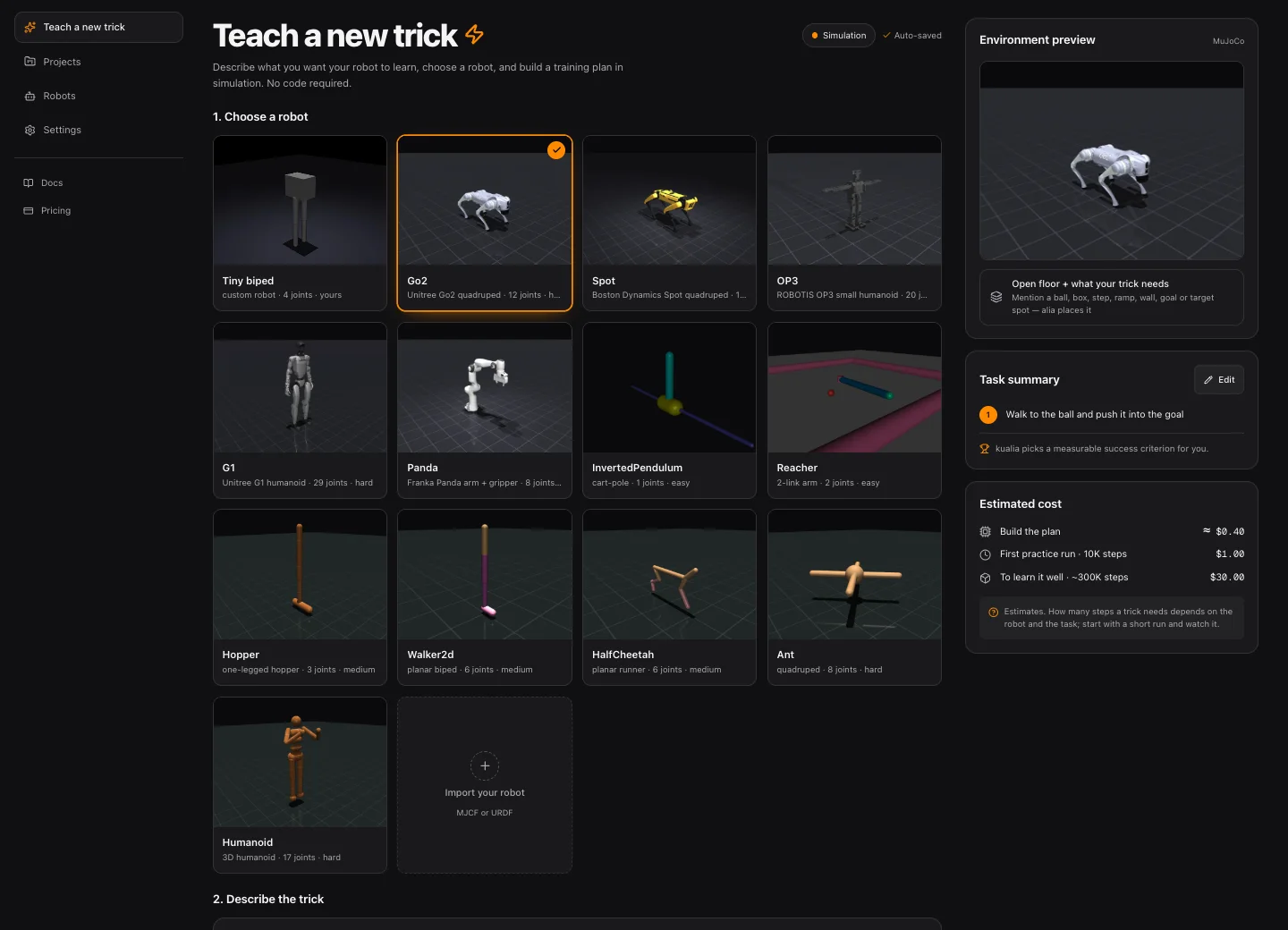
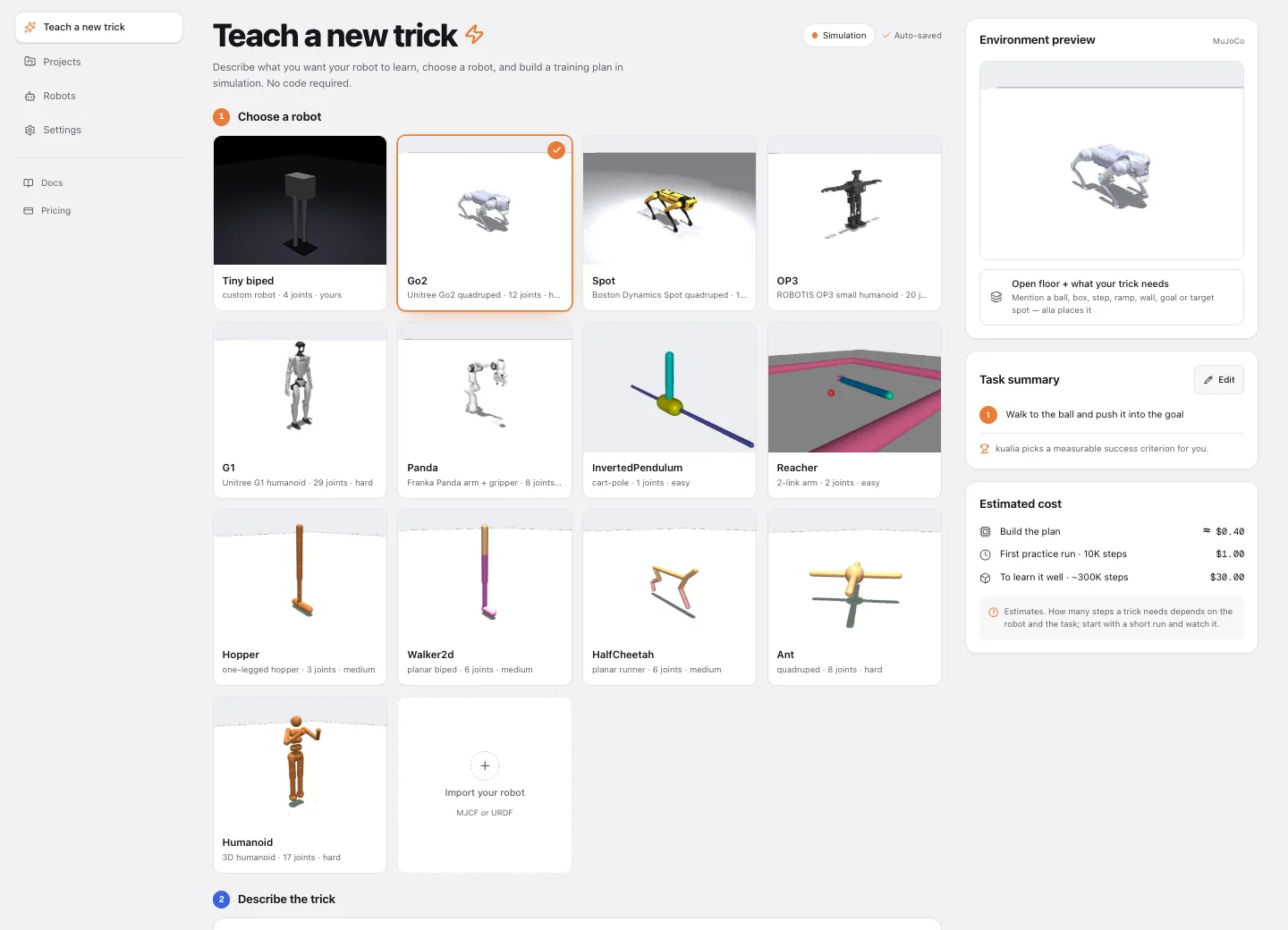
Eighteen built-in robots, or your own
Every task is pinned to one robot model, and the robot’s bodies, joints, actuators and masses never change. Eleven built-in robots are models of real hardware — seven tiny maker robots (Open Duck Mini, ToddlerBot, OP3, the SO-101 and low-cost arms, a Dynamixel 2R, a Crazyflie) and four bigger ones from MuJoCo Menagerie — and seven are the fast-training classics of the Gymnasium v5 suite.
Real robots · MuJoCo Menagerie and Open Duck Mini
| Robot | Kind | Actuators | Obs | Timestep | Frame skip | Control | Learn it |
|---|---|---|---|---|---|---|---|
| Duck | Open Duck Mini v2 biped | 16 | 43 | 2 ms | 10 | 50 Hz | ~2M |
| Toddlerbot | Stanford ToddlerBot humanoid | 30 | 99 | 2 ms | 10 | 50 Hz | ~5M |
| SO101 | SO-101 arm + gripper | 6 | 12 | 5 ms | 4 | 50 Hz | ~300K |
| LowCostArm | low-cost arm + gripper | 6 | 12 | 2 ms | 10 | 50 Hz | ~200K |
| Dynamixel2R | 2-link Dynamixel arm | 2 | 4 | 2 ms | 10 | 50 Hz | ~50K |
| Crazyflie | nano quadcopter | 4 | 11 | 2 ms | 10 | 50 Hz | ~300K |
| Go2 | Unitree robot dog | 12 | 35 | 2 ms | 10 | 50 Hz | ~3M |
| Spot | Boston Dynamics quadruped | 12 | 35 | 2 ms | 10 | 50 Hz | ~3M |
| OP3 | ROBOTIS small humanoid | 20 | 51 | 2 ms | 10 | 50 Hz | ~5M |
| G1 | Unitree humanoid | 29 | 69 | 2 ms | 10 | 50 Hz | ~10M |
| Panda | Franka arm + gripper | 8 | 18 | 2 ms | 10 | 50 Hz | ~500K |
Always kualia’s runtime
There is no Gymnasium environment for these robots, so every task on them subclasses MjcfRobotEnv with ROBOT_ASSET = menagerie_asset("Go2"): the model’s own scene (robot, floor, light) plus any world objects. Go2 uses Menagerie’s position-controlled go2_mjx variant.
They start standing
Episodes begin from the model’s standing keyframe (home, or stand for G1; OP3 stands straight at zero joint angles). Every joint is position-controlled, and each actuator’s range is re-centred on the keyframe, so a zero action holds the pose. The browser simulator resets to the same pose.
Licenses
The models come from Google DeepMind’s MuJoCo Menagerie, pinned to one commit, physics unchanged. Each keeps its own license file: Go2, G1 (Unitree Robotics) and Spot are BSD-3-Clause; OP3, Panda, SO-101 and the low-cost arm are Apache-2.0; ToddlerBot, Dynamixel 2R and Crazyflie are MIT. Open Duck Mini v2 is Apache-2.0 from the Open Duck project.
Budgets are rough orders of magnitude for a first skill with PPO. At $0.10 per 1,000 training steps, a 3M-step Go2 budget is $300 and G1’s 10M is $1,000, so check the task with a short first try before spending them.
Classic robots · Gymnasium v5
| Robot | Kind | Actuators | Obs | Timestep | Frame skip | Control | Learn it |
|---|---|---|---|---|---|---|---|
| InvertedPendulum | cart-pole | 1 | 4 | 20 ms | 2 | 25 Hz | ~30K |
| Reacher | 2-link arm | 2 | 10 | 10 ms | 2 | 50 Hz | ~100K |
| Hopper | one-legged hopper | 3 | 11 | 2 ms | 4 | 125 Hz | ~300K |
| Walker2d | planar biped | 6 | 17 | 2 ms | 4 | 125 Hz | ~500K |
| HalfCheetah | planar runner | 6 | 17 | 10 ms | 5 | 20 Hz | ~300K |
| Ant | quadruped | 8 | 105 | 10 ms | 5 | 20 Hz | ~1M |
| Humanoid | 3D humanoid | 17 | 348 | 3 ms | 5 | 66.7 Hz | ~2M |
Bring your own robot
Import an MJCF (a MuJoCo Menagerie-style scene.xml is ideal) or a URDF, alone or as a .zip with STL/OBJ meshes and textures. kualia loads it in MuJoCo, validates it and renders a preview; a validated robot appears on the shelf and works exactly like a built-in one.
- Up to 60 MB upload, 200 MB and 600 files after extraction. Mesh and include paths must be relative; URDF
package://URIs are rewritten. - Base: auto, floating (a legged robot that can fall; a free joint is added if missing) or fixed (an arm bolted to the ground). A floor is added if the model has none.
- Actuators: MJCF is simulated as-is. URDF has no actuators, so kualia adds one position servo (kp = 20) per hinge or slide joint.
- Validation: two 400-step rollouts (holding the pose, random actions). Errors block the robot (no actuators, non-finite or exploding state); warnings flag a timestep above 0.01 s, more than 64 actuators, or a mass under 10 g or over 500 kg (check units).
3The world
Real objects, composed into the robot’s model
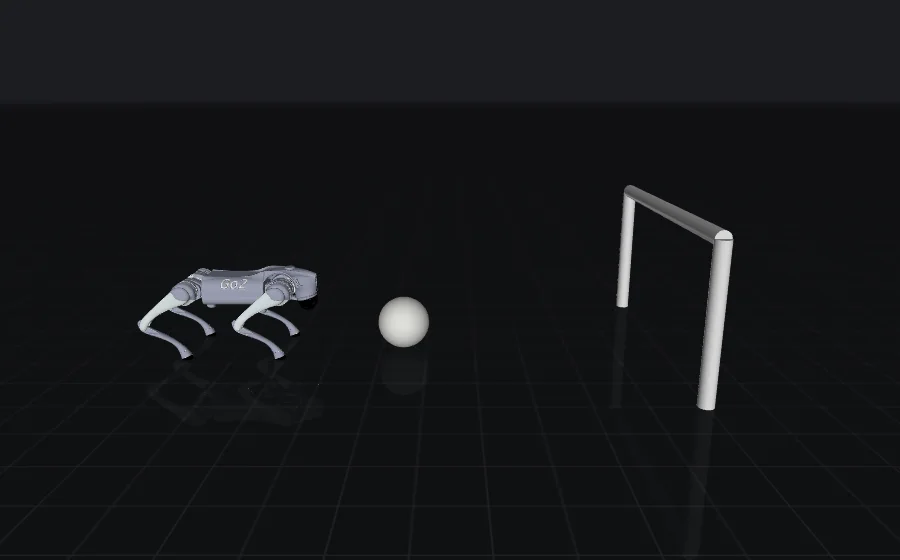
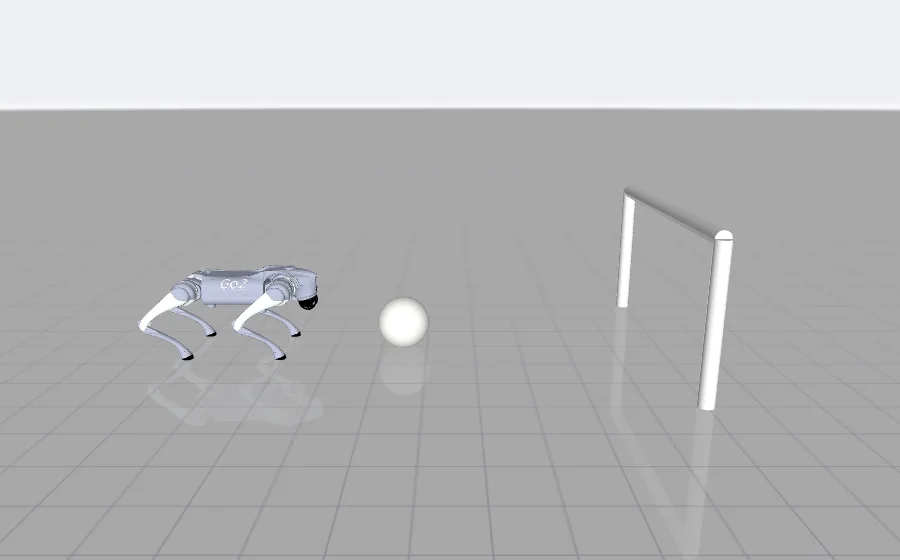
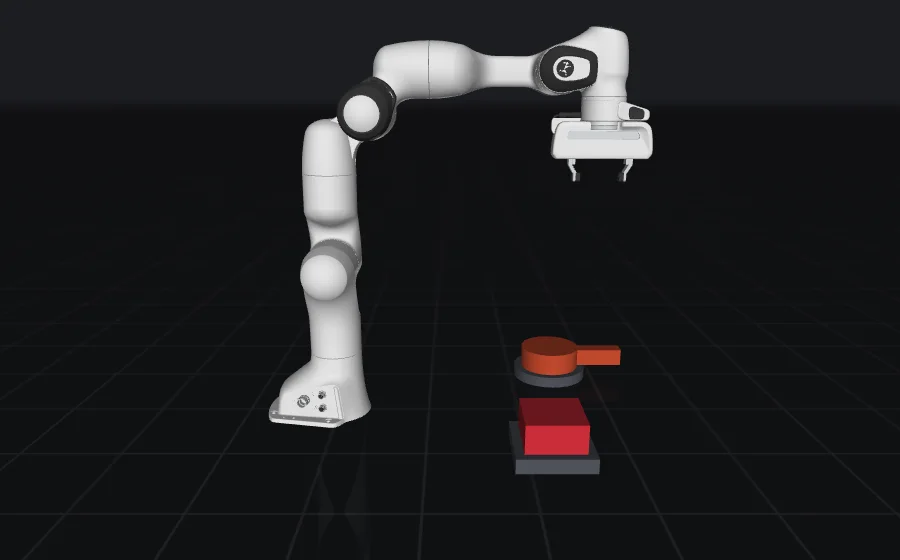
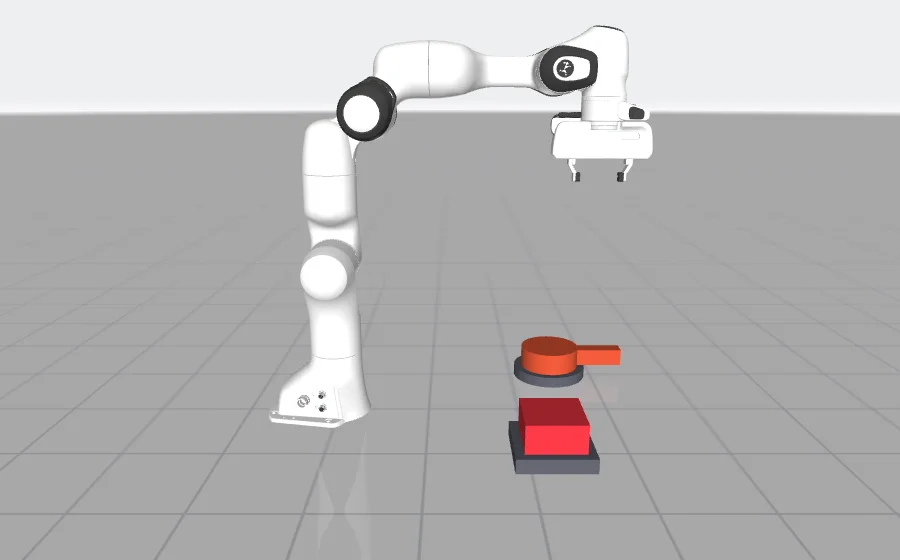
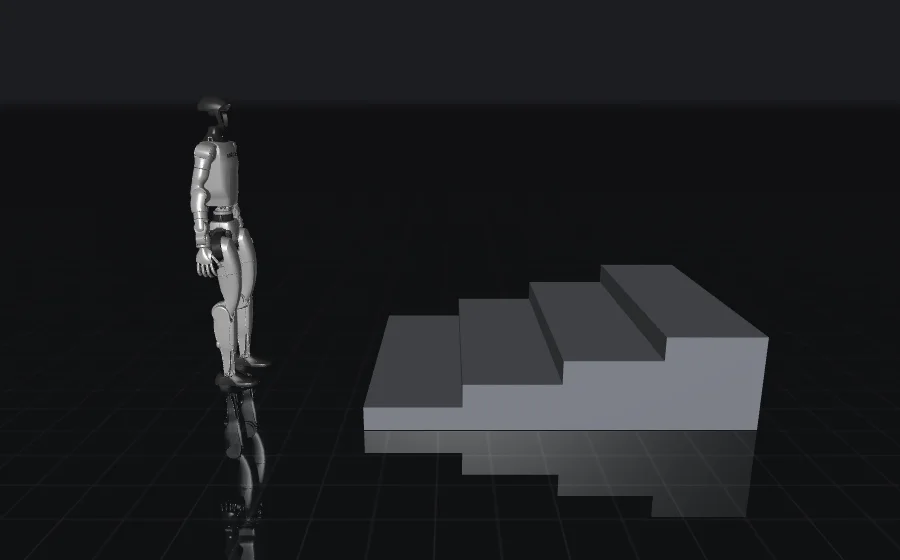
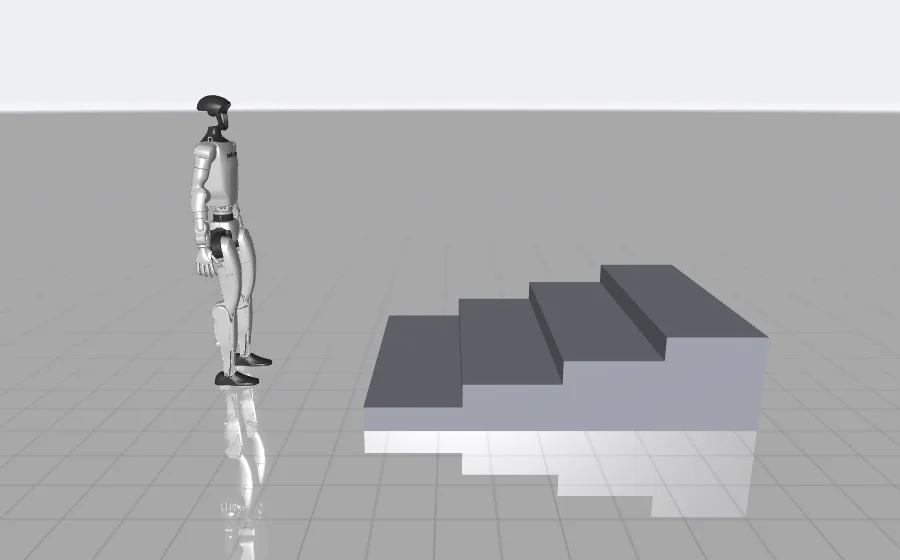
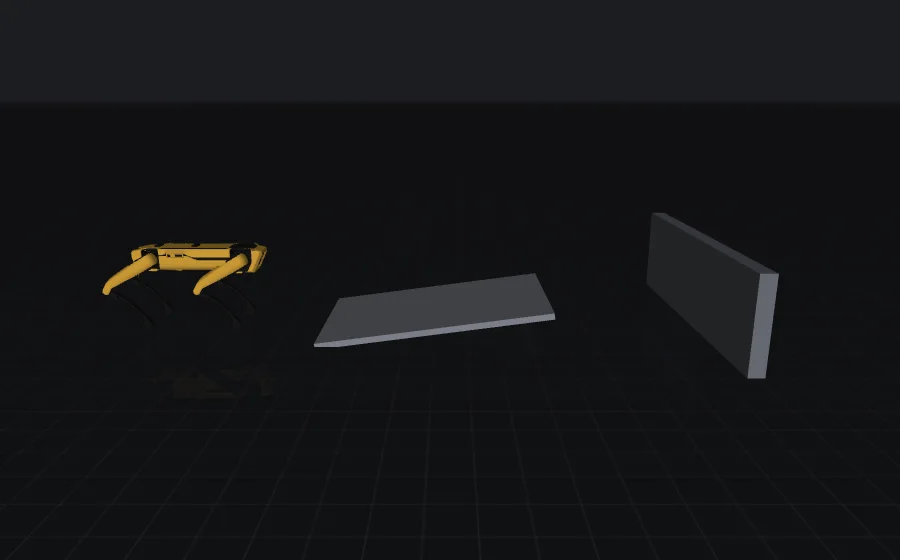
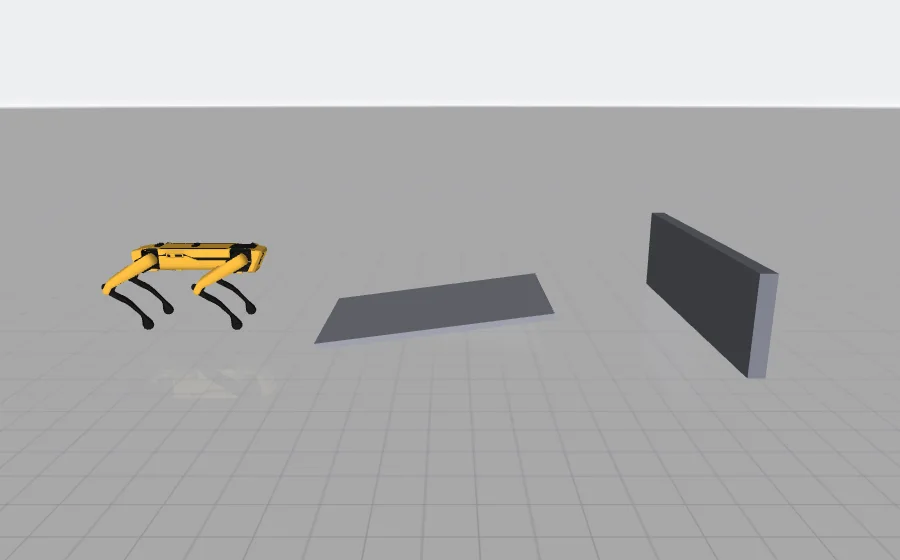
Before the task is written, a world planner reads your trick in any language and decides which of the nine object types it needs: a ball, stairs, a goal, but also a screw (a knob) or a doorbell (a button). alia then declares them as real MuJoCo bodies in a SCENE list on the task. There is no pretend ball updated in Python: objects have mass, collide, roll, turn and get pressed.
| Object | Kind | Defaults | Observed |
|---|---|---|---|
| ball | movable | radius 0.11 m · 0.45 kg · rolling friction | position + velocity |
| box | movable | half extents 0.15 m · 2 kg | position + velocity |
| step | fixed | half extents [0.4, 0.6, 0.08] | not observed |
| ramp | fixed | 1.5 m long, 1 m wide, rises 0.2 m along +x | not observed |
| wall | fixed | half extents [0.05, 1.0, 0.3] | not observed |
| goal | fixed | posts + crossbar, 1.2 m wide, 0.6 m high | position |
| target | fixed, no collision | flat marker, radius 0.25 m | position |
| knob | fixed, turns on a vertical hinge | cap radius 0.08 m, height 0.05 m, lever 0.12 m | position + angle + angular velocity |
| button | fixed, spring-loaded push | half extents [0.08, 0.08, 0.03] · travel 0.02 m | position + press position + velocity |
Sizes can be changed per object (radius 0.02–1.0 m, masses 0.01–50 kg). Names must be unique; the task’s helpers use them. Fixed pieces always rest on the floor (a z is ignored; a taller step needs a bigger size[2]). Each robot has its own placement range: Reacher’s objects go within 0.1–0.2 m of its base and stay low, Panda’s 0.4–0.6 m in front and small, the walkers’ a metre or more ahead.
Robot model
SCENE list
MjSpec composition
13 checks
training
videos & replays
browser simulator
The “Objects start clear” check
After three resets, no object may start inside the robot or another object, below the floor, or right under the robot, and a 60-step random rollout must keep every object physically sane. It also fails when the SCENE lacks an object type the world planner decided on. Keeping objects clear of the start pose, within the robot’s placement range, avoids almost every failure.- Composition: the robot’s MJCF is loaded with MuJoCo’s
MjSpecand each object is appended to the world body. Movable objects get a free joint, so their position and velocity come after the robot’s in the state vector. - Jitter:
"jitter": [dx, dy]moves a movable object by a random offset at every reset, so the policy cannot memorise one spot. Fixed objects ignore it. - Read without running: the SCENE is a list of plain numbers, optionally using class-level numeric constants and simple arithmetic, so kualia can evaluate it safely from the source code without executing anything. That is how the checks, the scene endpoint and the browser build the identical world.
Knobs and buttons
Two mechanisms stay in place and move in one degree of freedom. A knob is a fixed base with a cap that turns freely on a vertical hinge and a lever to push: a screw, bolt, valve, dial, crank or tap. A button is a spring-loaded, gravity-compensated cap that rests fully up and moves down only when pushed: a switch, doorbell or key.
object_angle,object_angular_velocityandobject_turnsread a knob (radians, rad/s, signed full turns since the reset).button_depthreads how far a button is pressed (0 … travel),button_pressedis true from 60 % of its travel.- Both are observed automatically and included in the live-policy recipe for the browser.
4Senses
What the robot senses, and where it starts
The observation is assembled by kualia’s runtime, not by the generated code, so it always matches the physics.
- qposjoint positions, world x/y of the base dropped
- qveljoint velocities, clipped to ±50
- ballposition relative to the base (3) + velocity (3, ±20 m/s)
- goalposition relative to the base (3)
- extraextra_observation(), optional
- Proprioception: joint positions and velocities of the robot. The world x/y of a floating or planar base is dropped, so the policy behaves the same anywhere on the floor.
- Objects: position relative to the robot’s base, plus velocity for movable ones; a knob adds its angle and angular velocity, a button its slide position and velocity. Fixed obstacles (step, ramp, wall) are part of the physics but not of the observation.
- Gymnasium-route tasks (built-in robot, no objects) start from the robot’s own observation, the Obs column above, and may append task features.
- Reset: on kualia’s runtime every episode starts from the model’s default pose (its standing keyframe when it ships one, as the realistic robots do) with small uniform noise (±0.01) on joint positions and velocities; knobs return to angle 0 and buttons to fully up; a floating base keeps its exact start pose so it never starts tilted or inside the floor. The Gymnasium robots keep their own reset noise.
- Actions: on kualia’s runtime, one value in [−1, 1] per actuator, mapped linearly onto the actuator’s control range (a joint target for a position servo, a torque for a motor). Gymnasium-route tasks use the robot’s own action space.
5Watching
Server videos and exact 3D replays
The same composed scene is used by the checks, in training, for the recorded videos and in the 3D viewer. Each checkpoint (untrained, 25, 50, 75 % and final) plays one deterministic episode that is captured two ways.
Recorded video
Rendered off-screen on the training server with MuJoCo’s renderer (480 × 480 on kualia’s runtime) at up to about 30 frames per second, up to 300 frames by default, saved as an H.264 MP4 with a poster frame. On kualia’s runtime the camera follows the robot, or frames the robot and nearby objects from the side when the world has objects. Renders use a quiet dark grid floor instead of MuJoCo’s checkerboard; only textures change, never the physics.
3D replay
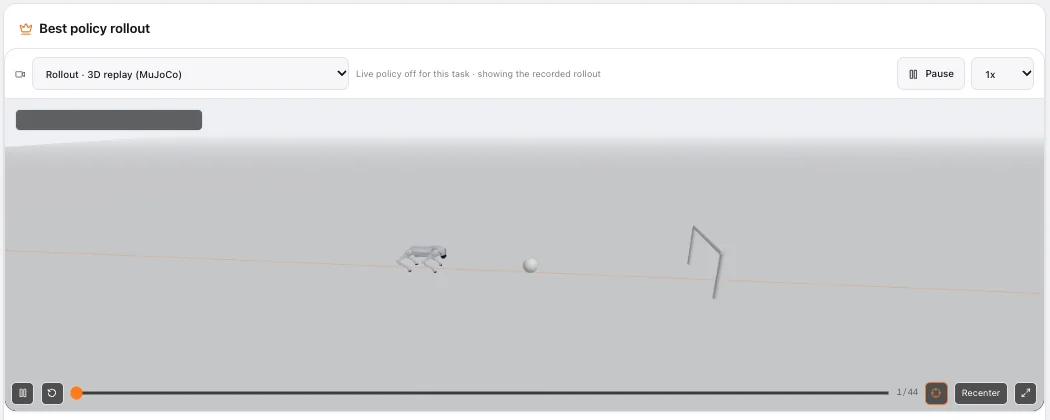
While the video is rendered, the full MuJoCo state (qpos and qvel) is stored for every frame. The browser replays it by setting that state and running MuJoCo’s forward kinematics: nothing is re-simulated, so the replay shows exactly what happened on the server, from any camera angle.
6In your browser
MuJoCo, compiled to WebAssembly
The Studio ships the MuJoCo engine to your browser. It runs in a background worker, draws with three.js, and can drive the robot with the trained policy in real time. Nothing to install.
| Mode | What drives the robot |
|---|---|
| Live policy | The exported ONNX policy, evaluated with onnxruntime-web, acting in MuJoCo in real time. Episodes restart after a fall or at the time limit; the status line shows episode, step, falls and inference time. |
| 3D replay | A checkpoint’s recorded state, played back in 3D. |
| Recorded video | The MP4 rendered on the server. |
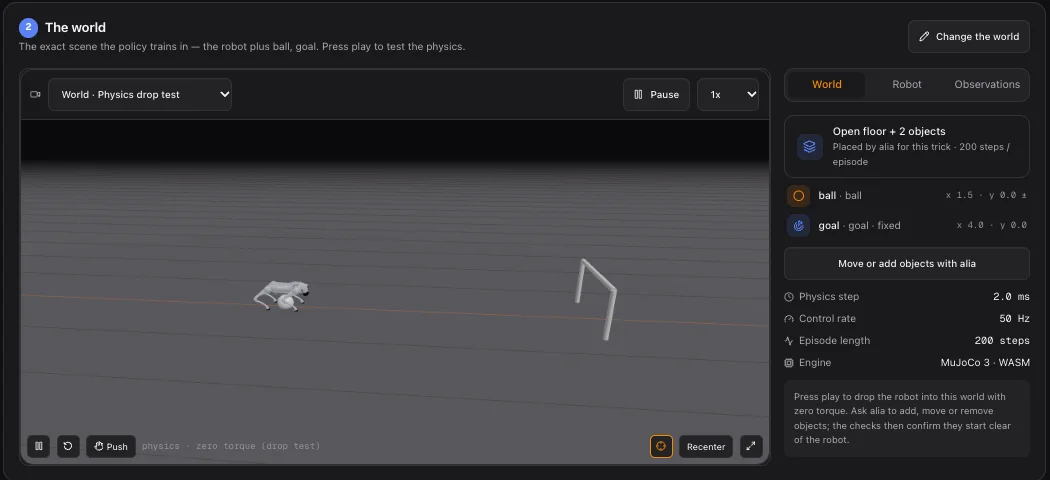
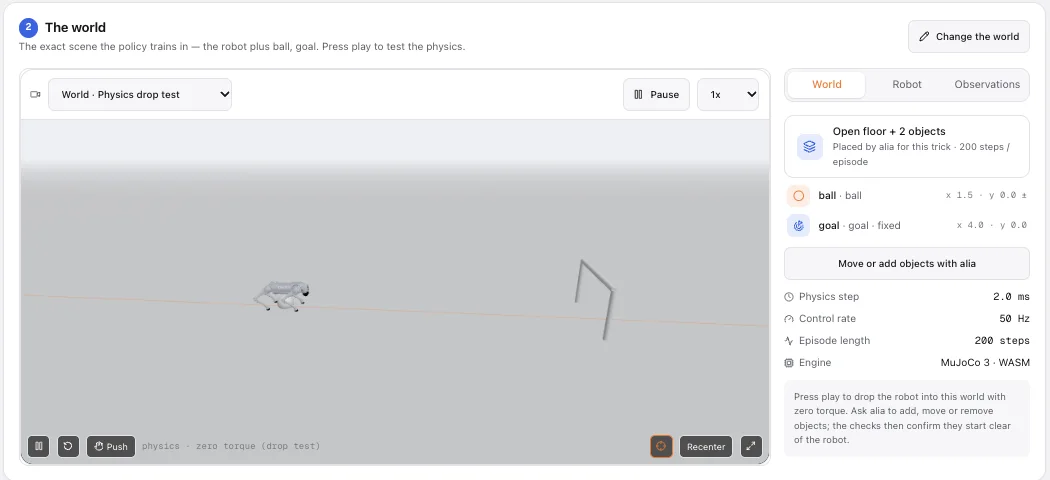
| Physics drop test | Zero torque: robot and objects simply fall under gravity. Objects that jump at the start are overlapping something. |
Push the robot
A horizontal shove on the robot’s base in a random direction for 0.15 s (12 N per kilogram of the model’s mass). A quick robustness test: a good policy catches itself.Page (main thread)
- three.js scene, lights, orbit camera
- paces the simulation to wall-clock time
- controls: play, speed 0.25×–2×, reset, push
- fetches the model, trajectory or ONNX policy
geom transforms
Web Worker
- MuJoCo compiled to WebAssembly (pthread build)
- onnxruntime-web, single-threaded WASM, for live policy
- observation → policy → actuators → mj_step, all here
- sends packed typed arrays of geom poses back
Where it appears
Plan & world (drop test), Training (latest checkpoint, and the live policy from the 25 % checkpoint on), each run’s results (live policy first) and Export (the exact file you download).
Cross-origin isolation
The threaded build needs SharedArrayBuffer, which browsers only allow on cross-origin isolated pages. kualia serves its app pages with Cross-Origin-Opener-Policy: same-origin and Cross-Origin-Embedder-Policy: credentialless.
Real-time pacing
The worker advances whole control steps to keep up with the wall clock, at most 8 per frame, so a slow device slows the robot down instead of skipping physics. Playback speed runs from 0.25× to 2×.
7Live policy
Rebuilding the observation, exactly
Tasks are Python, the browser is JavaScript. To run a policy live, the browser must feed it the exact observation it saw in training, and apply its actions the same way. Instead of porting each task, kualia describes the observation declaratively and proves the description right.
Instantiate
the task in a sandboxed subprocess (secrets stripped)
Derive
a declarative recipe: observation terms, control mapping, reset, termination
Verify
40 random steps against the real environment: observation, ctrl and control period must match
Ship
inside the ONNX metadata as browser_sim; the worker evaluates the same recipe in JS
A recipe is a list of terms over MuJoCo’s state arrays: slices of qpos and qvel (with dropped indices and clipping), sines and cosines of joint angles, body-to-body offsets for objects, and for the bigger Gymnasium robots inertias, body velocities, actuator forces and contact forces. It also carries the control mapping (direct, or affine onto actuator ranges), the reset noise and object placement, the termination rules and the control period.
Verification steps the real environment for 40 random actions and requires the recipe to reproduce the observation (to 10⁻⁴, relative), the actuator commands (to 10⁻⁵) and the control period exactly. Only then is live mode enabled.
Supported live
- Tasks on kualia’s runtime without
extra_observation()features; world objects are included. - Gymnasium-route tasks on the seven classic robots that pass the robot’s observation through unchanged, apply actions directly and keep its control period.
Not supported, with the reason shown
- Custom Python observation features (the size or values differ from what the recipe can compute).
- Action remapping before the actuators, or a different control period.
- Non-continuous action spaces.
Questions
Is the browser simulation the same physics as training?
Why does my task say “Live policy off for this task”?
extra_observation(), remaps actions before the actuators, or changes the control period. Use the 3D replay or the video, or ask alia to express the extra information as world objects, which are observed automatically.Which browsers work?
Can alia change my robot’s physics?
Can I import a robot with meshes?
How many objects can a world have?
What if my trick needs something that isn’t one of the nine types?
How are the realistic robots licensed?
Build a world for your trick.
Say “ball”, “stairs”, “screw” or “doorbell” in your brief, in any language, and watch the scene appear on Plan & world.